

When you’re serious about Bitcoin, using a hardware wallet like a Trezor is practically non-negotiable. It keeps your private keys offline and dramatically reduces the risk of hacks or malware stealing your funds.
But what happens if you lose both your PIN and your recovery seed while still holding the physical device?
Table Of Content
Let’s be blunt: in most cases, you’re locked out but we might have some solutions for you!
Why You Can’t Simply “Recover” Access
Trezor devices are intentionally designed to be extremely secure. The PIN protects access to the device, while the recovery seed can be used for full recovery of your funds on your existing or even a new hardware wallet.
If you loose both:
- The PIN cannot be bypassed
- The recovery seed is needed to restore your funds
- There is no “reset password” feature
This isn’t a bug, it’s the core feature. Trezor assumes that you, the user, are responsible for your backups.
So… Is It Really Impossible?
Not entirely, but it’s far from practical.
If you still have physical access to the device, there are highly specialized recovery methods. These are not DIY solutions. They involve:
- Physically opening the device
- De-soldering memory chips
- Extracting and analyzing raw data
- Exploiting hardware-level vulnerabilities (if any exist for that model/firmware)
This is the kind of work performed by elite hardware hackers and security researchers.
A well-known example is Joe Grand, who has demonstrated such techniques in controlled scenarios. His work shows that, under very specific conditions, recovery might be possible.
However, this comes with major caveats:
- It requires rare expertise
- It can take days or weeks
- It’s expensive
- It may permanently damage the device
- Success is not guaranteed
Take a look at this video and see how complex this process might be:
Remembering your PIN again is probably a better idea. This may sound obvious but try these methods:
- Think out-of-the box. Your regular PIN does not work so it must be something different
- Sometimes, people just enter a temporary PIN with the intention to change this later, but forgot about it. Try something obvious like 1234(5) or 0000(0)
- If you usually use a certain PIN and it does not work, try something different like an important year or date (birthday), your bank/creditcard PIN, your phone PIN or the last 4 digits from your phone number.
The Reality: You’re Probably Locked Out
For the average user, losing both the PIN and recovery seed means the wallet is effectively inaccessible.
Even if recovery by an expert is technically possible, it’s not something you can rely on. Think of it as a last-resort, high-risk option, not a recovery plan.
Is Trezor Still Safe?
Absolutely! Yes!
In fact, this situation proves how secure it is.
If someone steals your Trezor:
- A regular thief has no chance of accessing your funds
- Advanced attacks require time, expertise, and physical access
- You have a window to move your funds using your recovery seed
It is also very import to note that the hardware recoveries done by specialists are currently only working on legacy Trezor models. The newer Trezor models are even harder to break.
Final Thoughts
Losing your PIN and recovery seed is a serious situation, but it’s also a reminder of how Bitcoin self-custody works:
You are your own bank. And with that comes responsibility.
In Bitcoin, there’s no customer support line to call. And that’s exactly what makes it powerful.
The real takeaway isn’t how to hack your way back in, it’s this:
- Always back up your recovery seed
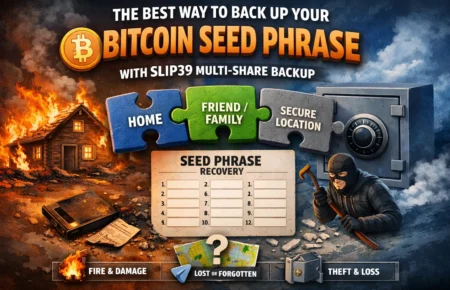
- Use SLIP39 to make your recovery seed even better (multi share) -> See our Best Way to Back Up Your Bitcoin Seed Phrase article
- Store it securely (preferably offline and redundant)
- Never rely on memory alone

René
Editor